Importing internet data into Google Sheets
So, I’m looking to buy some land for a farm. Something with a house where I can be largely self-sufficient. I want to grow food and pasture and trees, and have a cow and some sheep, so one important criterion is rainfall.
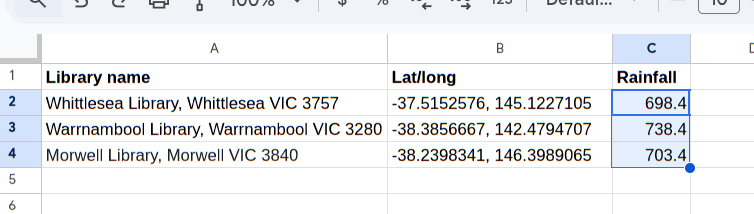
I have a spreadsheet for tracking and rating the properties I’m interested in. I’d like the spreadsheet to automatically show me the average annual rainfall over the past ten years, for each property.
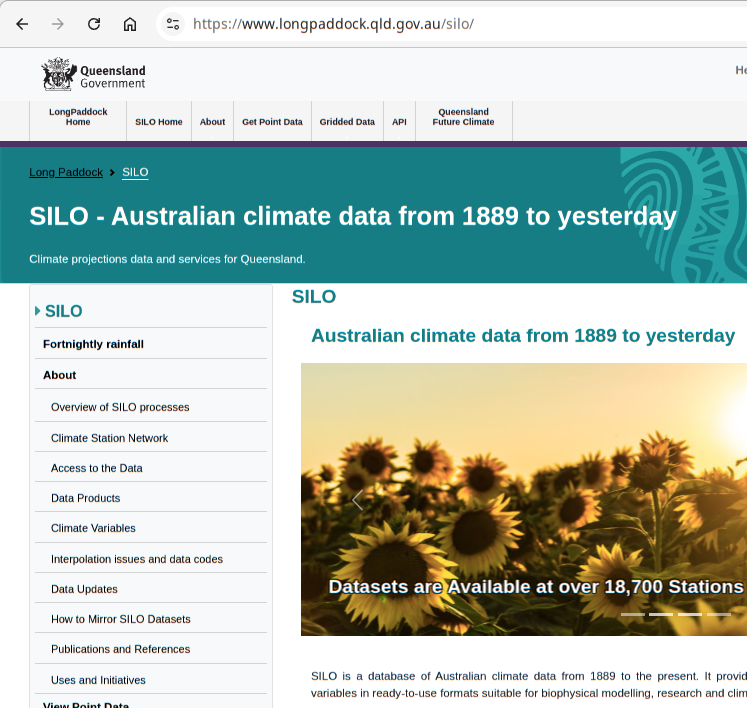
I can get Australia-wide historical information from SILO:
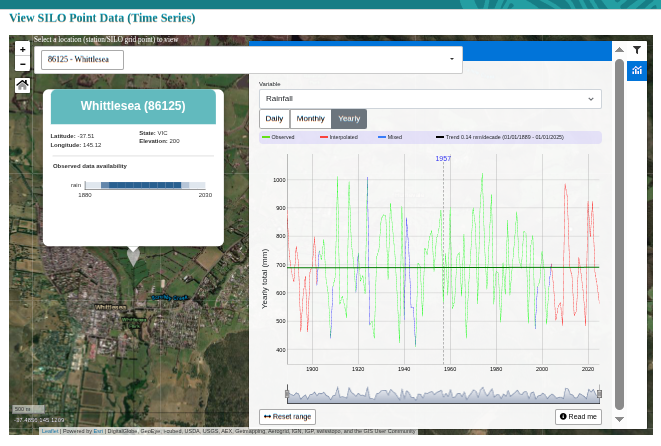
SILO has an interactive mode where you can zoom to a place and ask for rainfall (here’s Whittlesea, which we were looking at in the previous article):
You can also retrieve rainfall from SILO using a web request. You need to supply the start and end dates, the lat and long, the format, and an email address (which can be anything).
Example data (partial):
Yr.Mth     Avg   Avg    Tot   Tot   Avg   Avg
YYYYMM    TMax  TMin   Rain  Evap   Rad    VP
()        (oC)  (oC)   (mm)  (mm) (MJ/m2) (hPa)
20160100  27.4  14.7   68.1 177.0  21.2  14.9
20160200  27.2  14.1   14.6 168.9  21.7  14.4
20160300  26.0  13.9   36.0 136.5  14.3  15.1
The fourth column, total rain for the month in mm, is what we want.
To generate the URL, here’s an App Script function:
function SILO_AVG_RAINFALL_GETURL(latLongStr) {
  var YOUR_EMAIL = "test@your-domain.com";

  try {
    // Parse and Validate Latitude/Longitude
    if (!latLongStr) throw new Error("No lat/long provided. Format: 'lat, long'");

    var parts = latLongStr.toString().split(',');
    if (parts.length < 2) throw new Error("Invalid format. Use 'latitude, longitude'");

    var lat = parseFloat(parts[0].trim());
    var lon = parseFloat(parts[1].trim());
    if (isNaN(lat) || isNaN(lon)) throw new Error("Could not parse latitude/longitude");
    if (lat < -44 || lat > -10 || lon < 112 || lon > 154) {
      throw new Error("Coordinates outside Australian land range");
    }

    // Calculate Date Range (Past 10 Full Calendar Years) ---
    var today = new Date();
    var currentYear = today.getFullYear();
    var endDate = (currentYear - 1) + "1231";      // Dec 31 last year, format yyyymmdd
    var startDate = (currentYear - 10) + "0101";   // Jan 1 10 years ago

    // Construct URL for SILO data file
    var params = {
      'start': startDate,
      'finish': endDate,
      'lat': lat,
      'lon': lon,
      'format': 'monthly',
      'username': YOUR_EMAIL
    };

    var queryString = Object.keys(params)
      .map(key => encodeURIComponent(key) + '=' + encodeURIComponent(params[key]))
      .join('&');

    let url = 'https://www.longpaddock.qld.gov.au/cgi-bin/silo/DataDrillDataset.php?' + queryString;
    return url;
  } catch (e) {
    return "Error: " + e.message;
  }
}
It generates a URL like the clickable example above. And here’s a runnable test function, with the expected result:
function test_SILO_AVG_RAINFALL_GETURL() {
  const latLongStr = "-37.5152576, 145.1227105"; // Whittlesea Library
  const ret = SILO_AVG_RAINFALL_GETURL(latLongStr);

  const exp = "https://www.longpaddock.qld.gov.au/cgi-bin/silo/DataDrillDataset.php?start=20160101&finish=20251231&lat=-37.5152576&lon=145.1227105&format=monthly&username=test%40your-domain.com";
  if (JSON.stringify(ret) == JSON.stringify(exp)) {
    console.info('passed');
  } else {
    console.error(`Failed: ret=${JSON.stringify(ret)} exp=${JSON.stringify(exp)}`);
  }
}
Once we have the monthly rainfall for the past ten years, we can add up the months in each year for a yearly total. (This function handles missing months, although I haven’t found any missing so far)
/**
 * Calculate the average annual rainfall for the past 10 years from monthly data from the SILO API.
 *
 * @param {string} latLongStr String in format "latitude, longitude" (e.g. "-33.8688, 151.2093")
 * @return {number} Average annual rainfall (mm) for the past 10 full calendar years
 */
function SILO_AVG_RAINFALL(latLongStr) {
  try {
    let url = SILO_AVG_RAINFALL_GETURL(latLongStr);

    const options = { muteHttpExceptions: true };
    const response = UrlFetchApp.fetch(url, options);
    var lines = response.getContentText().split('\n');

    // Find the header line that starts with "Yr.Mth"
    var dataStartIndex = -1;
    for (var i = 0; i < lines.length; i++) {
      let line = lines[i].trim();
      if (line.startsWith('Yr.Mth')) {
        dataStartIndex = i + 3; // Data starts 3 lines after this header
        break;
      }
    }

    if (dataStartIndex === -1) throw new Error("Could not find data header");

    // Aggregate MONTHLY Rainfall by Year
    var yearlyRain = {};
    var validMonths = 0;

    for (var j = dataStartIndex; j < lines.length; j++) {
      var line = lines[j].trim();
      if (line === "") continue;

      // Split on whitespace (space-delimited)
      var values = line.split(/\s+/);
      if (values.length < 5) continue;

      var yearMonth = values[0]; // Format: YYYYMM00
      var rainString = values[3]; // Rain is the 4th column (index 3)

      if (yearMonth.length >= 4) {
        var year = yearMonth.substring(0, 4);
        var rainValue = parseFloat(rainString);

        if (!isNaN(rainValue) && rainValue >= 0) { // Valid rainfall
          if (!yearlyRain[year]) yearlyRain[year] = 0;
          yearlyRain[year] += rainValue;
          validMonths++;
        }
      }
    }

    // Calculate Average Annual Rainfall
    var totalRainfall = 0;
    var validYearCount = 0;
    for (var year in yearlyRain) {
      if (yearlyRain.hasOwnProperty(year) && yearlyRain[year] > 0) {
        totalRainfall += yearlyRain[year];
        validYearCount++;
      }
    }

    // Validate we have enough data (at least 80% of expected months)
    var expectedMonths = validYearCount * 12;
    if (validMonths < expectedMonths * 0.8) {
      throw new Error("Insufficient data (" + validMonths + "/" + expectedMonths + " months)");
    }

    return Math.round((totalRainfall / validYearCount) * 10) / 10;
  } catch (e) {
    return "Error: " + e.message;
  }
}
And we can test it like this:
function test_SILO_AVG_RAINFALL() {
  const latLongStr = "-37.5152576, 145.1227105"; // Whittlesea Library
  const ret = SILO_AVG_RAINFALL(latLongStr);
  const exp = 698.4;
  if (JSON.stringify(ret) == JSON.stringify(exp)) {
    console.info('passed, ret=' + ret);
  } else {
    console.error(`Failed: ret=${JSON.stringify(ret)} exp=${JSON.stringify(exp)}`);
  }
}
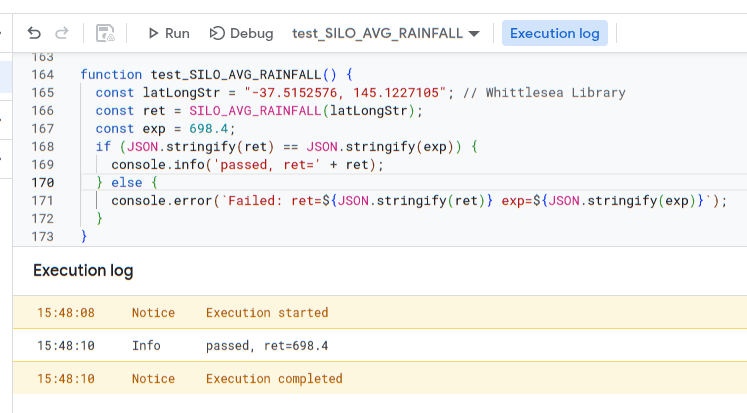
Running it for Whittlesea Library will look like this, with a result of about 700mm of rain per year:
Now we can call this function from our spreadsheet:

And extend it to all rows: